

1·
2 months agoPieFed includes RSS posting functionality out of the box, btw.

Web developer. Lead developer of PieFed
PieFed includes RSS posting functionality out of the box, btw.
I did not, it seemed complicated and rabbit-hole-y.
In the end I just added an Anubis-like feature into PieFed. It works great.
I used fail2ban as an anti-scraper strategy for a few months. It helped with the really basic scrapers that only use one or a few IP addresses.
But then they adapted and started using hundreds or thousands of different IP addresses, each one only making a couple of requests. fail2ban became counter-productive as it slowed my server down - the log files it was monitoring became massive under high load and it needs to scan the log files often to check if an IP has been seen before.
I’m not saying don’t try it, I’m saying it’s only effective in some situations.
It’s always dns at least half the time
haha looks like you’re aaalmost at the point where water cooling is compulsory.
Is it a Threadripper? I built a couple of those for architectural rendering, such absolute beasts.
Nice chonky heatsink, goddam
check this out!
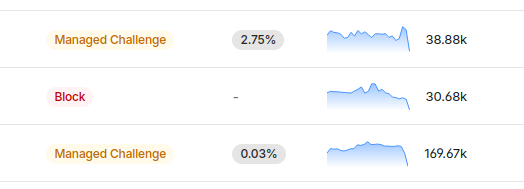
Completely useless…
Hey @organicpu@lemmy.organic-server.org did you use a LLM like Ollama to write your post?
No shade if you did, I just want to make sure we’re categorizing things correctly at our end.
Ahh yep, that’ll be it. Thanks.
That I regret link isn’t working for me.
Fuck off Jack
Ahh so bots are finding subdomains by scraping SSL certificates?
Good question.
A GUI will be easier to get into - you can use a gui file browser app to learn the layout of the file system, you can use a GUI text editor to change config files, that sort of thing. It’ll mean you can do a few basic things intuitively which will be less intimidating. So from a maintaining momentum and morale point of view it might be best to have a GUI initially even though you have to learn all the cli stuff eventually anyway and you’ll most likely be running a headless server on real hardware eventually.
Self-hosting is a very individual journey - everyone wants different things and finds they own way to meet their own requirements. So there isn’t really one guide that covers everything.
Anyway, as a general road map:
Create a Virtual Machine on your PC. Install Linux inside the VM.
Play around in the VM to learn Linux basics. When you break the OS you can just wipe the VM and reinstall.
In the VM, try some docker containers until you’re comfortable-ish with docker.
Maybe try Yunohost in the VM. You might find Yunohost saves you a lot of time and hassle.
Get hardware suitable for your goals.
Install Linux, configure networking and docker containers on real hardware.
Replying to this post with an AI slop comment takes some balls, mate
No obvious signs, nope. It wasn’t until I started using it in earnest that I got suspicious and then when trying to work on the code it became very clear.
Well, yeah. There are lots of reasons. But basic self-interest is something we can all agree on.
Sanitation is a bot that copies content from Reddit.
He claims to want to help but all it does is drown out genuine posters.